You make a 3D game with AI by describing the world: the place, how the player sees it, the goal and the mood. An AI game maker builds a light, stylized 3D scene that runs in the browser. You then edit it by hand (select, move, rotate, resize, time of day, rules) or by chat, and publish it as a link. This route suits an obstacle course, a kart race, an exploration island or a showroom, not huge open worlds or multiplayer.
- how to make a 3D game with AI
- make a 3D game without coding
- AI 3D game maker in browser
- can I make a 3D game without Unity
- how to make a 3D browser game
Can I make a 3D game without learning a game engine?
Yes, if your game is the right size. The traditional route to making a 3D game runs through an engine such as Unity, Unreal or Godot, a modeling program such as Blender for the objects, and a programming language for the logic. It is a powerful route that can reach any game you imagine, but it takes months of learning before you walk through your first world.
 Illustration
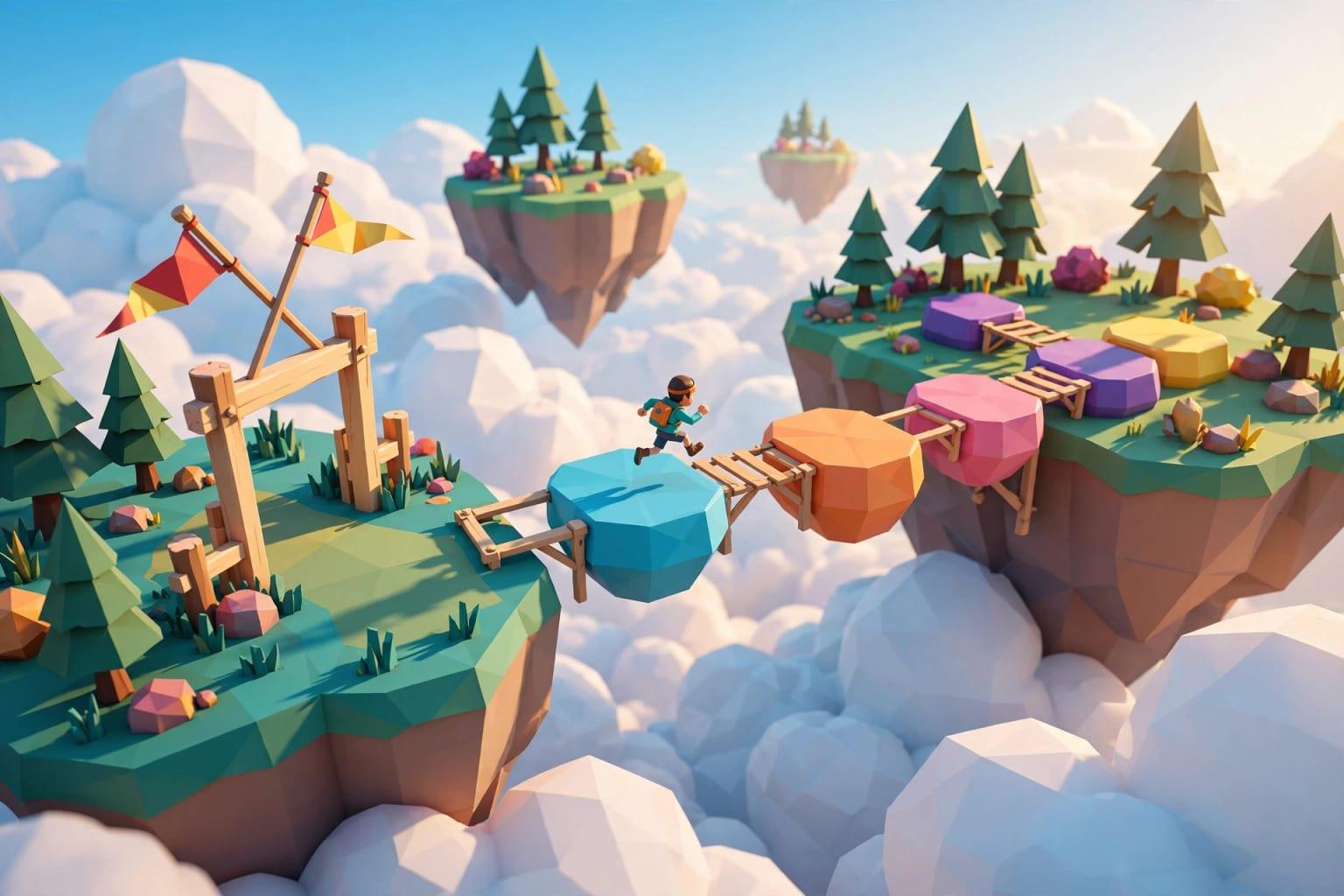
The shortcut is to describe the world in words. In Fanann's 3D Game Design you write a colorful obstacle course above the clouds and get a scene with ground, sky, a player and a goal that you enter from the browser. Then the world is yours to shape by hand. Compared with an engine you trade some depth for speed, a fair trade for a first world.
What should I expect from a 3D game that runs in the browser?
Set expectations before you write a word. The game runs on the player's own device inside the browser, with no download. So it is built light on purpose: simple, colorful low-poly shapes, not realistic graphics.
- Style
- Stylized: simple shapes and clear colors
- Players
- Single-player; each visitor plays alone
- Devices
- Computers and phones with a recent browser; quality drops by itself on weaker devices
- Your models
- Upload your own as glb files and place them like any shape
- Sharing
- The game's own link
- An obstacle course with moving platforms and checkpoints
- A kart race on a three-lap track
- A calm island to explore and collect gems
- A puzzle solved by moving and stepping on plates
- A product showroom, a room or a warehouse walkthrough
- A huge open world with cities and wide maps
- Online multiplayer
- Realistic, highly detailed graphics
- A complex fighter or shooter with many systems
- Publishing to consoles or Steam
How do I describe a 3D world well?
Describing a world differs a little from describing a 2D game, because you are describing a place, not a screen. Four things are enough:
| Part | The question | Examples |
|---|---|---|
| Place | Where are we and what is there? | Floating islands, a race track, an island with a lighthouse, a living room |
| View | How does the player see the world? | A character seen from behind, through their own eyes, a vehicle, or a showcase you orbit |
| Goal | How do you win, or what do you do? | Reach the finish, collect everything, last until time runs out, or just explore |
| Mood | What time, what light? | Clear day, sunset, starry night, cloudy, space |
Build a colorful obstacle course above the clouds at sunset. The player is a character I see from behind. The course starts with three easy fixed platforms, then two moving platforms over a gap, then a spinning hazard to dodge, then a harder chain of jumps before the finish line. Put ten coins along the route and two checkpoints: one before the moving platforms and one before the final jumps. Three lives and a two-minute timer; you win by reaching the finish line.
Try it in FanannWhich kind of 3D experience should I start with?
These are the seven templates. Each is a complete world you step into first and then change:
| Template | View | What you do | Best for |
|---|---|---|---|
| Obstacle course | Character from behind | Jump between platforms to the finish | A first 3D game, challenges with friends |
| Kart racer | Vehicle | Three laps through ordered gates | Family racing, best times |
| Exploration island | Character from behind | Wander and collect hidden crystals | A calm world for children |
| Puzzle adventure | Character from behind | Step on plates that open the way | Short puzzles, simple escape rooms |
| Product showroom | Showcase that orbits the product | Turn, zoom and switch the color | Launch pages, sales presentations |
| Room design | Own eyes | Walk around and see furniture from every angle | Showing a design idea to a client |
| Warehouse tour | Own eyes | Walk and read information points | Showing a new hire around |
Pick the one that sounds like you to see the advice.
The obstacle course or the kart. Both have a timer, lives and a finish line, and your friends will race for the best time.
The exploration island. No timer, no losing; the goal is to find everything you hid.
The showroom, the room or the warehouse. Not games in the strict sense, but among the most useful for a business. Read a 3D showroom for your products.
The puzzle adventure. Pressure plates, keys and gates, solved by moving around, not by menus.
How do I edit the world by hand?
This is what makes the tool a studio and not a request box. Once the first version is built you switch between two modes: Edit World and Play Game. In edit mode every object in the scene can be touched and changed.
- 1Select
Tap any object in the world or in the object list. All its details appear: position, rotation, size, color, surface.
- 2Move, rotate, resize
Drag the handles. Turn on snap to grid so objects move in even steps and line up without effort.
- 3Give it a role
Every object has a role in the game: ground, platform, moving platform, pickup, checkpoint, finish, a hazard that costs a life, or a trigger zone where something happens when the player walks in.
- 4Add from the library
Ready shapes (box, ball, ramp, ring) and game pieces that already know their job, such as the coin, the checkpoint and the finish line. Duplicate an object to build a row of platforms quickly.
- 5Change the sky
Pick a time and place: clear day, sunset, night, cloudy, studio, space. Drag the sun and the shadows grow or shrink.
- 6Play at once
Switch to Play in one tap and try what you changed. Every change is saved and can be undone.
What you would rather not do by hand, ask for: add two moving platforms over the gap, scatter ten coins along the way, make this object spin slowly. The same idea for web apps is in change your app by pointing at it.
How do I set the rules of the game?
A pretty world is not a game until it has rules. You set them in Player and rules, with no logic to write:
| Setting | Options | Advice |
|---|---|---|
| How the game is won | Reach the finish, collect everything, last until time runs out, just explore | Pick only one for a first game |
| Lives | A number | Three with checkpoints is kinder than five without |
| Timer | In seconds; zero means no timer | Play the course yourself and give players about twice your time |
| Player speed and jump strength | Two sliders | Set them before placing platforms, because distances are built on them |
| Gravity | A slider | Lower values make jumps float, higher values make them snappy |
| Fall height | The height below which it counts as a fall | Keep it just under the lowest platform so players do not wait long |
How do I keep the game fast on phones?
In 3D, every object, light and shadow costs the device work on every frame. So each world has a budget: limits on objects, detail (triangles), lights, and the size of uploaded models and pictures. A world over one of its limits will not publish until it is back inside. The Performance panel shows the frame rate on your device.
The Automatic picture quality watches how smoothly the game runs for each player and adjusts by itself, so you do not need two versions.
How do I publish the world, and what should I know first?
Publishing gives your game a link anyone can open. Four things to know first, stated plainly:
- It runs on each player's device: a new computer runs it smoothly, an old phone may not.
- Phones get a lighter picture: on weaker devices the game lowers its quality by itself to stay playable.
- It needs a recent browser: on a device that cannot draw 3D, players see a clear message instead of the game.
- One player at a time: playing together online is not part of worlds.
Still deciding between two dimensions and three? Read 2D or 3D: which should your first game be?. On sharing and what makes a game work from a link: browser games. Starting from zero: make a game without coding.
Key takeaways
- You do not need to learn a game engine or a modeling program to make a small 3D world you can play.
- The result is light and stylized on purpose, so it runs in a browser and on phones.
- Describe four things: the place, how the player sees the world, how they win, and the mood.
- After the first version the world is yours: move any object by hand, change the sun, gravity and rules.
- Watch the world budget: fewer objects, lights and details mean a faster game for players.
Frequently asked questions
How do I make a 3D game without coding?
Do I need a powerful computer to make a 3D browser game?
Can I use my own 3D models?
Can I make an online multiplayer 3D game?
Does the 3D game work on phones?
How is this different from an engine like Unity?
Ask your AI assistant about this
Copy this prompt into the AI assistant you use, then add the details of your own case.
I am reading this guide: “How to make a 3D game with AI that runs in the browser” https://fanann.com/en/blog/make-3d-game-with-ai/ My question: how to make a 3D game with AI Use that page as a source and explain the answer step by step for my situation, tell me what to check before I start, and cite the page link.