A 3D tour in the browser is a space the visitor walks through from a link on a phone or computer: a furnished room, an apartment, an exhibition stand or a warehouse. There are three main kinds: a 360 camera scan of an existing place, realistic architectural renders of something not yet built, and a light stylized tour built quickly and edited on the spot. Fanann has two templates of the last kind, a room-design walkthrough and a warehouse walkthrough: you walk in first person, move furniture, change colors and lighting, then share the link with whoever decides. They are stylized scenes that explain layout and flow, not photo-real images of finishes.
- 3D property tour in the browser
- virtual tour for an apartment or villa
- how to make a 3D room tour
- 3D room design online to show clients
- virtual tour for an exhibition stand
- show furniture in 3D to customers
What is a 3D room or property tour in the browser?
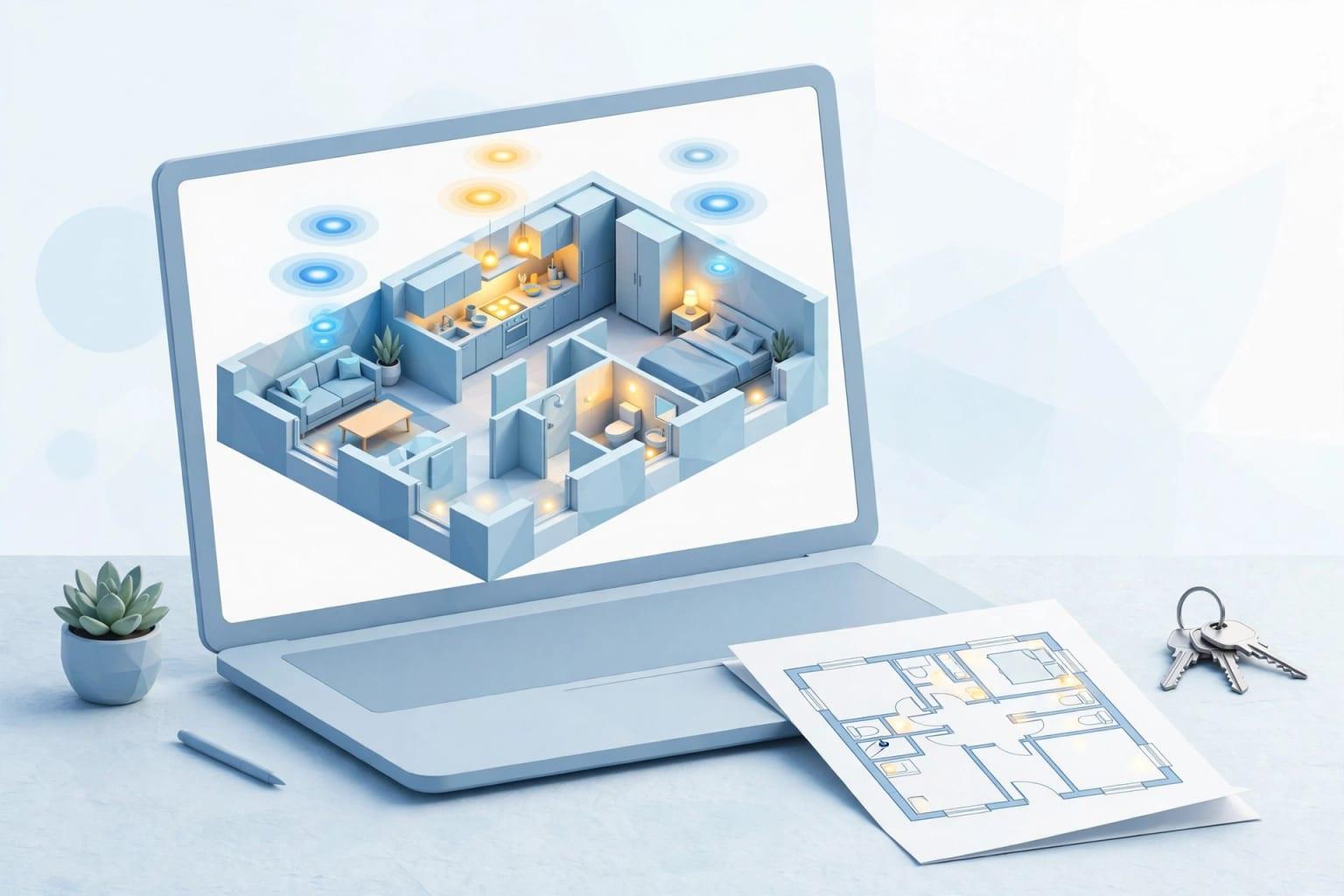
An engineer reads a floor plan; the person deciding nods politely. A 3D tour in the browser puts that person inside the space: they open a link on a phone and find themselves standing in the room, walking, turning, seeing where the sofa goes, how much corridor is left and how light comes through the window. No download, no headset, no software.
 Illustration
- How it opens
- A link in the browser, on phones and computers
- How the visitor moves
- Walks in first person and looks around
- What it shows
- Layout, furniture, colors and lighting
- Style
- Simplified, light shapes
- What it is not
- Not a realistic scan or an image of final finishes
Which kinds of tour exist, and which is honest for your case?
'Virtual tour' is used for very different things. Know the difference before you pay or promise a client:
| Kind | How it is made | Fits when | Its limit |
|---|---|---|---|
| Photos and a plan | Photography and a floor plan | The place exists and the client is nearby | No sense of movement or space |
| 360 camera scan | Shooting the existing place from several points | The place is built and furnished and you want it shown as is | Nothing can be changed, and it cannot show the unbuilt |
| Realistic architectural renders | A specialist studio builds a model and outputs images or video | You sell finishes and materials before construction | Budget and weeks, and every change is re-rendered |
| Interactive realistic walkthrough | A specialist team with high-end graphics engines | Major projects and sales centers | The highest cost, often needing powerful machines |
| A stylized tour in the browser | A template or description, edited by hand | You want to explain layout and compare options fast | Simplified shapes that do not convey materials and finishes |
Who in the Gulf uses these tours, and why?
| Business | Use | The decision the client makes |
|---|---|---|
| Furniture showrooms | A living room or majlis with the shop's pieces and colors | Which set, which color, and whether it fits the space |
| Interior designers | Showing a design idea before execution | Approving the layout and color direction |
| Brokers and small developers | Explaining a unit's layout to a distant buyer or before completion | Whether the layout suits the family: majlis, kitchen, rooms |
| Exhibition stand builders | The company's stand before fabrication | Where the counter and screen go, and visitor flow |
| Restaurants and cafés | Table and counter layout before fit-out | Seat count and service path |
| Warehouses and facilities | Showing a new employee around | Where the aisles, loading bay and safety points are |
| Event halls | Arranging a hall for a wedding or conference | Where the stage, tables and entrances go |
Gulf homes have details a plan shows poorly: the men's majlis with its own entrance, the women's majlis, the family living room, the kitchen and its annexes, the helper's room and the outdoor annex. A family in Riyadh or Abu Dhabi asks first about the guest's path from the door to the majlis without passing the family room, and walking it makes that clear in seconds.
 Illustration
Which should you choose: a stylized tour, a 360 scan or renders?
Pick the one that sounds like you to see the advice.
Use good photography or a 360 scan. The client wants reality as it is; a stylized tour adds little here unless you want to propose a different furniture layout.
Realistic architectural renders are the right tool, and they are a specialist studio's work. A stylized tour helps before them: agree the layout with the client before paying for realistic output.
This is where the stylized tour belongs. Build both options as two links and let the client walk each. A decision that took three meetings is settled in one.
A warehouse or facility walkthrough with information points that appear as you approach. You do not need realism; you need clarity: where do I go and what is there.
Agree the layout with a stylized tour, then pay for realism once, on an approved layout.
What do you prepare before building the tour?
How do you build a room tour in Fanann?
3D Game Design has a room-design walkthrough template: a room with walls, a floor and furniture built from simple shapes, daylight from the window, a floor lamp and a pendant light, first-person walking, and floor swatches that change the sofa's color. The warehouse walkthrough has racks, aisles, a loading bay and information points that show their text as you come close. Start from either, or from your own description in the world builder.
- 1Describe the space
The kind of room, rough dimensions, main pieces and the time of day.
- 2Arrange by hand
Select any piece and move, rotate, scale or recolor it. Every change is saved and can be undone.
- 3Set the lighting
Try daylight, sunset and night to see how light changes the colors.
- 4Walk it
Switch to walking and move as the client will. Are the passages wide enough? Does anything block the window?
- 5Publish and share
You get its own link. To compare two layouts, publish two versions and send both links.
Build a 3D walkthrough of a modern living room about 6 by 5 meters that the visitor explores in first person. Place an L-shaped sofa facing the TV wall, a low coffee table with a rug under it, a bookshelf on the side wall, and a large window letting in warm evening light. Add floor swatches that change the sofa's color between beige, gray and olive green. On the opposite side, a door leads to an Arabic majlis with floor seating along three walls and a coffee table in the center. Put an information point at each main piece with its name and dimensions. Text in Arabic, with a calm walking speed.
Try it in FanannHow do you use the tour with clients to get a decision?
- Before the meetingSend the link
With one line stating what you need: 'Walk both layouts and tell us which is closer to what you want'.
- In the meetingWalk it together
Put it on the screen and let the client drive. Watch where they stop and what they ask.
- On the spotChange it in front of them
'What if the bookshelf moved next to the window?' Move it now. Instant editing turns an objection into a decision.
- After the meetingFix what was agreed
Publish the approved version and send its link as the reference, then move to execution, or to realistic renders if needed.
- For furniture shops: put a QR code beside the set on the floor that opens the same room in its available colors.
- For the distant buyer: the link reaches someone buying from another city or country, to open on a phone whenever they like.
- For teams: the warehouse tour goes to a new employee before day one.
What are the limits of a stylized tour?
- A sense of space, proportion and movement
- Comparing two layouts or colors quickly
- Editing in front of the client in seconds
- A link that opens on a phone with no download
- Information points that explain what the visitor sees
- Does not convey materials and finishes with photo realism
- Is not a scan of an existing place
- Is not an engineering drawing to build from
- One visitor at a time, no live shared tour
- Smoothness varies from device to device
A published scene has a budget for objects and detail so it runs well on phones, so a room or a small apartment suits it better than a whole tower. On weaker devices image quality is lowered automatically.
Showing one product rather than a space? A 3D showroom for your products. Building a full property platform? A real estate app in Dubai and a property management app. For the technical side of worlds: a 3D game in the browser.
Key takeaways
- A stylized tour answers 'how is the space laid out?', not 'what does the marble look like?'.
- For an existing place with final finishes, use a 360 scan; for unbuilt space sold on finishes, use architectural renders.
- Furniture showrooms, interior designers and stand builders benefit most: two layouts compared in two links.
- Its strength is instant editing: move the sofa in front of the client and hear the decision in the same meeting.
- Property advertising is regulated in Saudi Arabia and the UAE; label the tour 'illustrative' and check the regulator's rules.
Frequently asked questions
How do I make a 3D tour of a room or apartment?
Is the tour as realistic as photos?
Can it be used for property marketing?
Can I use models of my real furniture?
Does the client need software or a headset?
Ask your AI assistant about this
Copy this prompt into the AI assistant you use, then add the details of your own case.
I am reading this guide: “3D room and property tours in the browser: a guide for Gulf businesses” https://fanann.com/en/blog/3d-room-and-property-tours/ My question: 3D property tour in the browser Use that page as a source and explain the answer step by step for my situation, tell me what to check before I start, and cite the page link.