Free invoice software: what do you get?
You start free, build your invoice software and try it with real invoices. What each plan includes, and its limits, is on the pricing page.
Need one invoice now? Try the free generatorDescribe how you sell and invoice, or upload the Excel invoice template you use, and Fanann builds you invoice software with quotes, tax invoices, receipts and overdue follow-up. On the web and phones, or as a program on your PC.
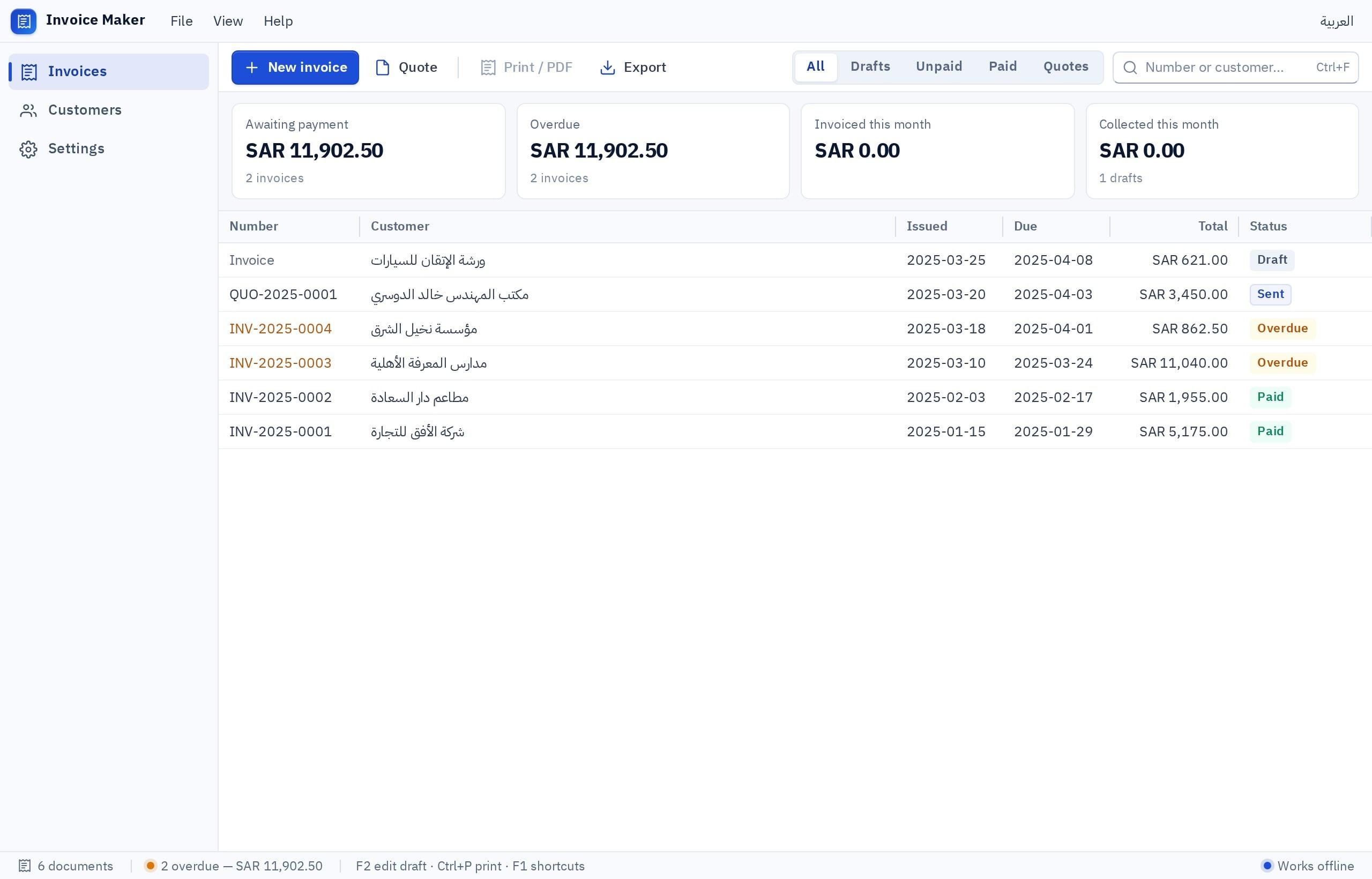
Fanann builds you invoice software shaped around your business from a description or your Excel template: customers and items, quotes that turn into invoices, tax invoices with a VAT line and a QR code if you ask, receipts and overdue reminders. It runs on the web and phones or as a Windows program, and you start free. What your country’s rules require of an invoice you describe in your request and verify; we claim no official approval.
The questions behind most searches for invoice software, each with a straight answer.
You start free, build your invoice software and try it with real invoices. What each plan includes, and its limits, is on the pricing page.
Need one invoice now? Try the free generatorAn Excel template is enough for a few invoices. As they grow, numbering and tracking paid and overdue invoices get hard. Upload your template and Fanann turns it into a program with automatic numbering and reports.
Invoicing system from ExcelRequirements differ by country: a tax number, a date, a VAT line, and sometimes a QR code or a link to an official system. Describe what your country requires and Fanann builds it; checking compliance is on you and your accountant.
If your shop runs on one PC, build the program in Windows Studio and download the installer: it works without internet and prints on Windows printers.
Cloud suits you when more than one person or branch issues invoices. Send an invoice as a link or a file, and see who paid and who is late from anywhere.
A services firm needs quotes and partial payments, a contractor needs stage-based progress invoices, a freelancer needs a simple invoice and a reminder. Describe your case and the program is built around it.
Common modules you pick from, adding anything missing with a sentence.
Automatic numbering, your business details, a VAT line and a QR code if you ask.
A quote that becomes an invoice in one click when the customer agrees.
A customer list with tax numbers, and items and services with their prices.
Partial payments, a receipt for each one and a clear remaining balance.
A list of overdue invoices and a reminder to the customer by message or email.
Print on your printer, send a PDF, or share a link the customer opens.
Sales, VAT collected, paid and overdue, by period or by customer.
Staff issue invoices, the accountant reviews, the owner sees everything.
Pick your business and the modules you need, and watch the program take shape. Copy the request or start with it.
I want invoice software in Arabic for my business: a retail shop. It includes: Tax invoices with my logo, Quotes, Customers and items and Overdue follow-up. It runs on the web and phones, and the team sees the same invoices. The invoice is Arabic, right to left, and I will describe what my country’s rules require on a tax invoice.
Many people invoice from an Excel template they copy every time. Upload the template and your invoice log, and Fanann builds a program that keeps your invoice’s look and adds automatic numbering, payment tracking and reports.
Choose before the build. Cloud suits teams and branches: everyone sees the same invoices. A Windows program suits the shop PC: it installs from a setup file, works without internet and prints on the printers installed in Windows.
A comparison of categories, not of specific products.
| Ready invoice software | Excel template | A program built for you with Fanann | |
|---|---|---|---|
| Invoice layout | Limited templates | Completely free-form | Your own layout with your logo |
| Numbering and duplicates | Automatic | Manual and error-prone | Automatic, and issued invoices cannot be deleted |
| Payment tracking | Depends on the program | A column you update by hand | Partial payments and overdue reminders |
| Your country’s tax rules | Whatever the publisher supports | Entirely on you | You describe them, Fanann builds them, you verify |
| Working offline | Depends on the program | Yes | Yes, as a Windows program with local data |
If ready invoice software suits you as it is, it is often the simpler choice. A program built for you helps when your way of invoicing is different.
Four steps, and no programmer needed.
Write how you sell and invoice and what an invoice must include in your country, or upload your Excel template. Or start from the request you designed above.
Fanann proposes the screens, the invoice layout, the reports and the roles. Change anything before the build.
Issue realistic invoices, print them, and check with your accountant that the fields match what your country requires.
Publish it on the web and phones for your team, or download the installer for the shop PC.
Journal entries, a chart of accounts, a trial balance and reports: an accounting system built around how your company works, on the web or on your PC.
See the detailsA right-to-left Arabic website from a plain description: pages, contact forms, bookings or orders and your own domain, then changes by chat.
See the detailsA store with your products, categories, cart, local payments, an orders board and a phone app from the same chat, with the steps and costs explained honestly.
See the detailsEmployee files, attendance, leave and leave requests, documents and their expiry dates, manager and employee permissions: HR software that fits you.
See the detailsBefore you hire an app development company: when you really need one, and when you can build your web and mobile app yourself, hosted and tested.
See the detailsDescribe how you invoice or upload your Excel template, and try the program with real invoices. Start free, no credit card.