The right accounting and invoice software for a company in Qatar issues invoices in Qatari riyals with a sequential number that never repeats, in Arabic and English because teams and customers come from many nationalities, produces quotes and pro forma invoices that become a final invoice in one click, and links each invoice to an entry in the chart of accounts and to its payment status. Qatar had no value added tax at the time of writing, so choose a system that can add a tax line later, and check your position with your accountant. The strongest route is to build your system in Fanann from the Excel file you already use: it works your way, has no per-user subscription, and the code is yours.
- accounting software Qatar
- invoice builder Qatar
- invoice pro forma template
- free accounting software for small business
- bilingual invoice software Arabic English
What should accounting software do for a company in Qatar?
Start with the answer: accounting software should record every financial movement once, in the right place, and produce invoices and reports from it without anyone typing the same number into three files. In practice, many small companies in Doha start with invoices in Word and an Excel sheet for receipts, and at the end of the month the accountant finds the numbers do not match.
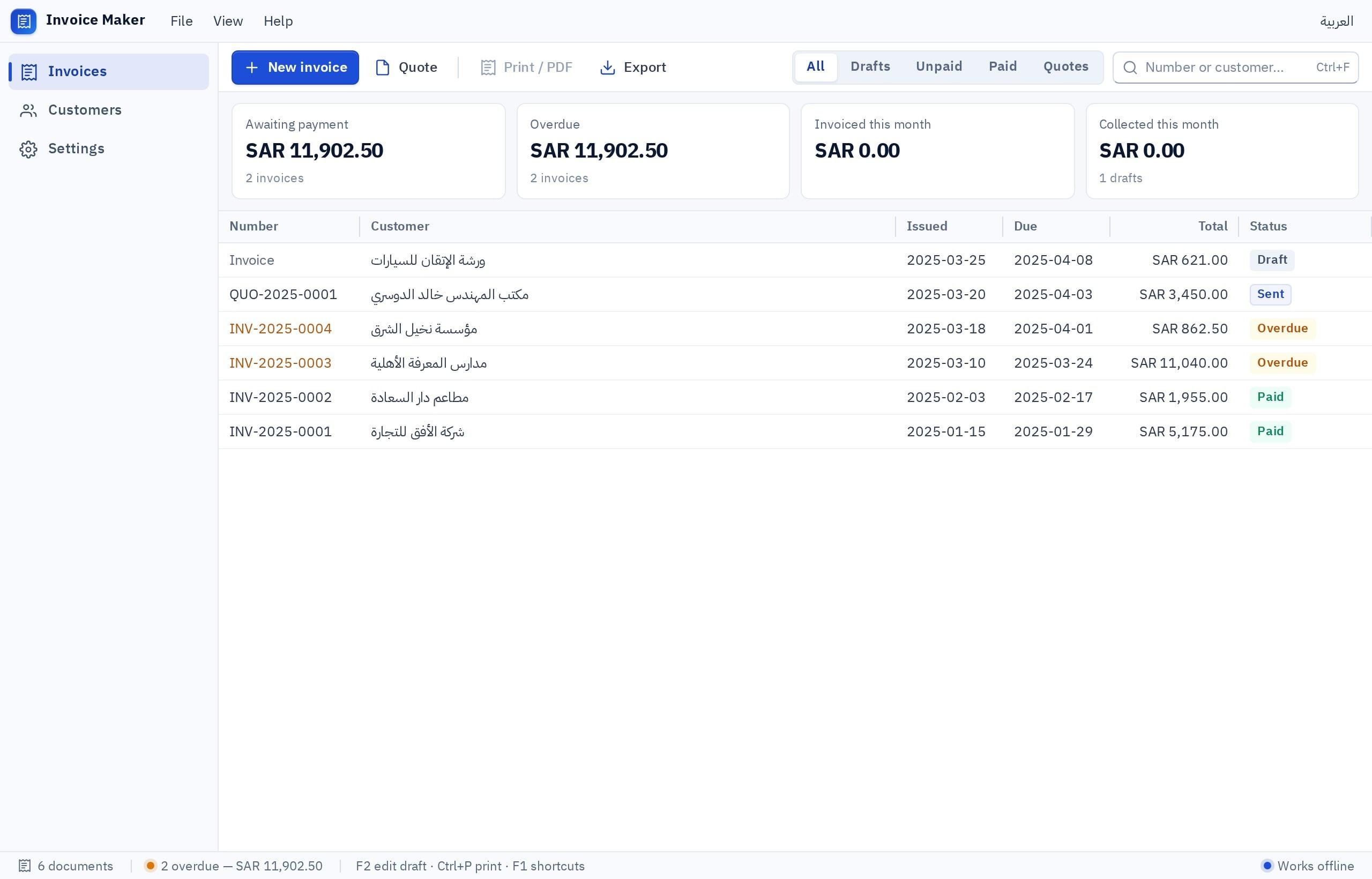
 Illustration
- Currency
- Qatari riyal (QAR) with two decimals
- Language
- Arabic and English on the invoice and screens
- Tax
- No VAT at the time of writing
- Documents
- Quote, pro forma, invoice, credit note, receipt
- Team
- Roles for the accountant, sales and management
If you do not yet know the difference between the kinds of accounting software, start with accounting software types and names, then come back for the Qatar specifics here.
Is there VAT in Qatar, and what does that mean for invoice software?
Qatar had not introduced value added tax at the time of writing, unlike some other Gulf countries. That makes your invoice simpler today: no tax registration number and no mandatory tax line. Companies still have other tax obligations that vary by ownership and activity, and those are for your accountant and the official tax authority to define.
If you sell to customers in Saudi Arabia or the UAE from Qatar, invoicing rules there are different. The general picture is in the invoice software guide.
What does a professional invoice in Qatar contain?
| Detail | Why it matters |
|---|---|
| Company name, address and commercial registration number | Identifies you, and many companies ask for it |
| Invoice number and date | A sequence that never repeats or gets deleted, the basis of any review |
| Customer details | Name, and registration number for companies |
| Line items with quantity and price | In both languages if your customers need it |
| Total in Qatari riyals | The most prominent number, with two decimals |
| Payment terms and due date | For example within 30 days, so you can chase overdue invoices |
| Bank transfer details | IBAN and bank name |
Is free invoice software or free accounting software enough for me?
Free invoice software and free accounting software are among the most common searches by business owners in Qatar. Free options exist, but they usually mean an edition limited by invoices or users, a time-limited trial, or software without support. Before you choose, ask three questions:
- Can I export all my invoices and customers to a file if I decide to move?
- Does it print the invoice correctly in Arabic, right to left, and in English?
- What happens when I pass the free limit: do invoices stop, or do I move on smoothly?
Pick the one that sounds like you to see the advice.
Start free in Fanann with a small invoicing system that grows with you, instead of a capped free edition you will have to leave later.
You need a system that turns a quote into an invoice and tracks what is due. Fanann builds it around your own stages, in both languages.
Your own fields and stages are easier in a system built from the Excel file you already use.
You need an integrated accounting system with roles and consolidated reports. Fanann builds it with users and roles managed from the Control Center; review the accounting logic with your accountant.
What makes an accounting system truly integrated?
"Integrated accounting system" is a phrase used a lot without a clear meaning. In practice, a system is integrated when every sale or purchase generates its entry automatically, without anyone typing it again:
- A chart of accounts that suits your business, starting simple and growing with you.
- A sales invoice creates a revenue entry and a customer balance, and a receipt closes it.
- A supplier invoice creates an expense or stock, and a payment voucher settles it.
- A trial balance, income statement and aged receivables in one click.
- Roles: sales issue invoices, and only the accountant edits entries. Read about role-based access.
- An edit log: who changed what, and when.
When the system grows to cover inventory, HR and purchasing, it gets close to what is called ERP. Do not start there as a small company. Start with invoices and entries and add what you need. For staff salaries and leave, see HR software.
Subscribe to ready software, or build my system from Excel?
- Works today with proven menus and reports
- Updates from the vendor
- May not fit your own fields and stages
- A subscription that often rises with users
- Starts from the Excel file you know
- Your fields and documents in both languages, as you want them
- Changed by chat when the way you work changes
- No per-user subscription; the code is yours and any developer can join later
With Fanann's accounting software and invoice software you describe how you work or upload your Excel file, and a system is built with a chart of accounts, entries, invoices and reports, on the web and phones or as a program on your PC. That is why we see it as the stronger pick: it fits how you work instead of you bending to ready software, and your accountant reviews its logic once, then it runs your way. What each plan includes is on the pricing page.
How do I build invoice and accounting software for my company in Qatar?
I want an invoicing and accounting system in Arabic and English for a maintenance and services company in Doha. Currency: Qatari riyal with two decimals. Documents: quote, pro forma invoice with its own numbering, final invoice with a sequence that never repeats or gets deleted, credit note, receipt. A quote becomes a pro forma and then an invoice in one click. The invoice shows both languages on the same line, with the company name, commercial registration number, customer details, payment terms, due date and bank transfer details. A tax rate setting that is zero now and can be switched on later. Each invoice creates an entry in a simple chart of accounts. Reports: amounts due by customer and age, monthly sales, and the trial balance. Roles: sales issue quotes and invoices, the accountant approves and edits entries. Import customers and old invoices from an Excel file.
Try it in FanannTo move old data safely, read about data import, and the full move is covered in from Excel to a system for Gulf businesses.
What should I check before sending the first invoice from the system?
Does your company also need a site that presents your services? Start with the website builder, or the online store builder if you sell online. If your idea is an app for your customers, read the alternative to an app development company and try the app cost calculator. Examples from the capital are on the Doha page, and the rest of the guides are in the Qatar market guide.
An invoice that needs no correction at month end saves the accountant's time and the company's money.
Key takeaways
- A good invoice has a sequential number that is never edited, amounts in Qatari riyals with two decimals, and text in both languages.
- Quotes and pro forma invoices are common steps in Qatar before the final invoice, so ask for both in any software.
- Qatar had no VAT at the time of writing, but design the system to accept a tax line without rebuilding.
- Free editions of ready-made software are usually capped by invoices or users; a system built in Fanann can start free and you export its data whenever you like.
- If the way you work is unusual, building your system from your Excel file is faster than bending software that does not fit.
Frequently asked questions
What is the best accounting software for a small company in Qatar?
Is there free invoice software?
Do I need VAT on my invoices in Qatar?
What is the difference between a pro forma invoice and a final invoice?
Can I move my accounts from Excel to accounting software?
Does the software work on a computer and a phone?
Ask your AI assistant about this
Copy this prompt into the AI assistant you use, then add the details of your own case.
I am reading this guide: “Accounting and invoice software for your company in Qatar” https://fanann.com/en/blog/accounting-invoice-software-qatar/ My question: accounting software Qatar Use that page as a source and explain the answer step by step for my situation, tell me what to check before I start, and cite the page link.