Accounting and inventory software for a shop in Egypt should record every sale in Egyptian pounds and print a receipt, reduce stock with every invoice and warn you before an item runs out, record how each customer paid (cash, card, mobile wallet or credit), keep customer and supplier balances, and give you a daily report of sales and cash. The strongest option is to build your own in Fanann to fit your business, install it on the shop computer so it works offline, and own its data and code with no per-user subscription. If your business falls under the e-receipt or e-invoice system, confirm the requirements with your accountant.
- accounting and inventory software for shops
- free cashier software for pc
- free sales and inventory program
- free accounting software for small shops
- inventory and sales system egypt
- pos and stock software in egp
What accounting and inventory software does a shop in Egypt need?
At closing time, the shop owner stands at the till and asks three questions: how much did I sell today, what is left on the shelves, and who still owes me money? If the answers are spread across a notebook, the cashier's memory and phone messages, you need accounting and inventory software, however small the shop.
 Illustration
That means one program that does three jobs: a point of sale that records sales quickly, a stock module that knows quantities at every moment, and simple accounts for customers, suppliers and expenses. You do not need full double-entry bookkeeping on day one. Your accountant handles that; your software hands them clean numbers instead of loose papers.
- Currency
- Egyptian pound, two decimals
- Payments
- Cash, cards, mobile wallets, credit for known customers
- Channels
- Counter, phone, WhatsApp, local delivery
- Tax
- VAT depending on your activity, plus the e-receipt and e-invoice systems
- Hardware
- A Windows PC in the shop, sometimes more than one branch
What are the core modules of accounting and inventory software?
| Module | What it does | The question it answers |
|---|---|---|
| Sales and cashier | Sale by barcode or search, discounts, returns, printed receipt | How much did I sell today, and how was it paid? |
| Stock | Items, quantities and minimum levels, deliveries, branch transfers, stock counts | What is left, and what should I order? |
| Purchases and suppliers | Purchase invoices, cost prices, each supplier's balance | How much do I owe each supplier, and when? |
| Customers and credit | An account per customer, partial payments, statements | Who owes me, and since when? |
| Expenses and cash | Rent, electricity, salaries, opening and closing the till daily | Where did the money go this month? |
| Reports | Sales by item and day, rough profit, slow movers | What earns money, and what ties up my capital? |
For the wider picture of accounting software types before you decide, read accounting software names and types, then the Fanann accounting software page.
How does the software handle pounds, cash, wallets and credit?
Payment details are what separate software that helps you from software that annoys you every day. In Egypt a customer may pay cash, by card, or by transfer from a mobile wallet, and a regular customer may take goods now and settle at the end of the month. Good software records all of it clearly.
- Payment method on every invoice: cash, card, mobile wallet, credit, or a split between two methods, so at closing you know what should be in the drawer and what reached your account.
- Cash and change: it records the amount tendered and the change, and handles rounding if that is your practice, with a clear rule your accountant can see.
- Wallets and transfers: record the transaction number or the last digits of the wallet so you can match it to your statement later, because a transfer never shows up in the drawer.
- Credit: a credit limit per customer, an alert when it is exceeded, and a statement you can send on WhatsApp before the due date.
- Prices: a retail price and a wholesale price, quick price updates when your costs change, and every invoice keeping the price it was sold at.
How does stock work alongside sales, day by day?
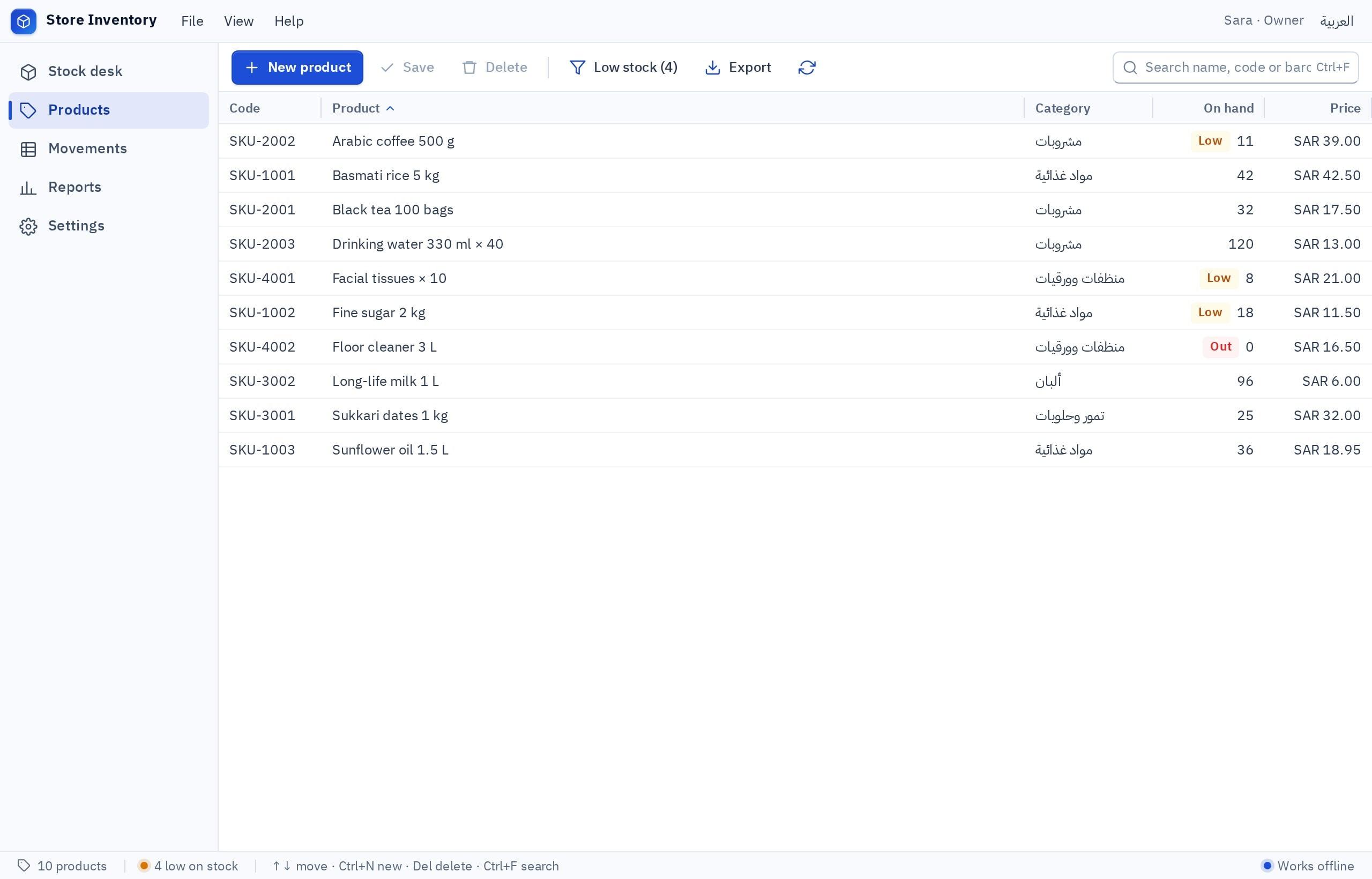
- 1Define each item once
Name, barcode or internal code, unit (piece, pack, carton), cost price and selling price, and the minimum level that should trigger an alert.
- 2Receive deliveries
Enter the supplier's invoice and quantities go up automatically while the supplier's balance updates. If a carton is sold by the piece, the software converts cartons into pieces.
- 3Sales reduce stock
Every sale reduces the quantity immediately and every return adds it back, so you never have to count a shelf to know what is left.
- 4Alerts before you run out
A daily list of items at their minimum level, which you turn into a purchase order for the supplier in one click.
- 5Regular stock counts
Count a shelf with a phone or a scanner and the software shows the gap between the real count and the recorded one, so you can see where stock goes missing.
If you run your stock in an Excel file today, do not throw it away. The same spreadsheet can become a program with its own columns and items through Excel to app, so your file is a starting point rather than something to retype. For stock on its own, see the inventory software builder.
Is free cashier software for a PC enough?
Searching for free cashier software for a PC, or a free sales program, makes sense: a new shop wants to try before paying. But free ready-made software usually comes with trade-offs that surface later, so the smarter move is to start free with a program you own from day one.
- Start free and try it with your real items before any commitment
- Fits one shop today and branches, credit and permissions tomorrow
- Runs offline on the shop PC, with backups
- Your data and your program's code are yours to export any time
- A cap on items or invoices appears at the busiest moment
- No backups, so a broken PC means lost customer balances
- A copy from an unknown source may carry security problems
- You cannot adapt it to how you sell or to wholesale prices
Before entering the first item into any program, ask whether you can export all your data and who keeps the backup. In Fanann the answer is simple: the program and its data are yours. You can start free and build a first version to try; what each plan includes is on the pricing page.
Should I choose ready-made software or build my own?
Pick the one that sounds like you to see the advice.
Start from a Fanann template to get a ready till and stock module, then shape them to how you work instead of bending to a ready-made program. An Arabic and English support team is there to help.
Start free in Fanann and run your program for a month with your real items; your data is yours from day one.
This is where building clearly wins: selling by the meter or by weight, several wholesale price lists, installments for customers, a repair workshop next to the shop, or reports no ready-made program offers.
Building no longer means hiring a software company and waiting months. In Fanann you describe your program in your own words and it gets built; you try it, change it by chat, then install it on the shop PC so it works offline with a local database on that machine. To estimate cost and time for a larger project, try the app cost calculator.
How do I build accounting and inventory software in Fanann?
Write what your shop sells, how customers pay and which reports you want, in Arabic or English. Fanann builds right-to-left Arabic screens for the till, items, suppliers, customers and reports. Then you change any screen or field by chat.
I want accounting and inventory software for a housewares and kitchenware shop in Cairo that runs on a Windows PC without internet, in Arabic, right to left. Screens: a cashier screen with barcode or name search, discounts, returns and a thermal receipt in Egyptian pounds. Payment methods: cash with amount tendered and change, card, mobile wallet with transaction number, and credit for registered customers with a credit limit. Items: name, barcode, unit (piece, set or carton), cost price, retail and wholesale price, minimum level for alerts. Supplier purchase invoices that add stock and update the supplier balance. Daily expenses. A daily till close comparing counted cash with recorded cash. Reports: today's and this month's sales by item and payment method, slow movers, customer and supplier balances. Permissions: cashiers can only sell; the manager sees reports and edits prices. A daily backup to a USB drive.
Try it in FanannWhen you need printed invoices for wholesale and business customers, use the invoice software, or try the invoice generator to issue a quick invoice right now. More guides for shop owners are in the Egypt market guide and on the Fanann in Cairo page.
What should I test before relying on the software?
Run the software alongside your old method for one week. If the numbers match, switch over fully. If there is a gap, it is usually a step that was never written into the description, so add it by chat and test again.
Key takeaways
- A small shop does not need a heavy accounting system at first: it needs sales, stock and customer and supplier balances connected in one place.
- Every sale should reduce stock automatically and every delivery should add to it, or you are back to counting shelves by hand.
- Record the payment method on every invoice (cash, card, mobile wallet or credit) so the cash drawer reconciles at the end of the day.
- Free ready-made programs often cap items, backups and data export; a program you build in Fanann can start free and its data stays fully yours.
- Egypt's e-invoice and e-receipt systems have their own requirements, so ask your accountant before you settle on an invoice format.
Frequently asked questions
What is the best accounting and inventory software for a small shop in Egypt?
Is there free cashier software for a PC that works offline?
Does accounting and inventory software replace an accountant?
Can the software record mobile wallet payments?
Does my shop need to issue e-receipts?
Can I turn my Excel inventory sheet into a program?
Ask your AI assistant about this
Copy this prompt into the AI assistant you use, then add the details of your own case.
I am reading this guide: “Accounting and inventory software for shops in Egypt: choose or build?” https://fanann.com/en/blog/accounting-inventory-program-egypt/ My question: accounting and inventory software for shops Use that page as a source and explain the answer step by step for my situation, tell me what to check before I start, and cite the page link.