A cashier and inventory program for a shop in Kuwait must sell fast by barcode, print a receipt in dinars with three decimals, record the payment method (KNET, card, cash or credit), reduce stock with every sale and warn you before an item runs out, and close the drawer daily. Kuwait did not apply VAT at the time of writing, so keep the receipt able to add a tax line later and check with your accountant. Build your own in Fanann, shaped to your shop and with no subscription per device, and install it on Windows 10 or 11.
- pos system Kuwait
- point of sale systems for small shops
- inventory management software for a shop
- free cashier program for PC
- cashier software with three decimal dinar prices
What does a cashier program need in a Kuwaiti shop?
Thursday evening in a Farwaniya grocery: a line at the counter, a worker taking a phone order for a house in the next block, and a supplier dropping off cartons of juice. In these minutes the cashier must sell fast, and at the end of the night the owner must know how much was sold and what is left on the shelves.
 Illustration
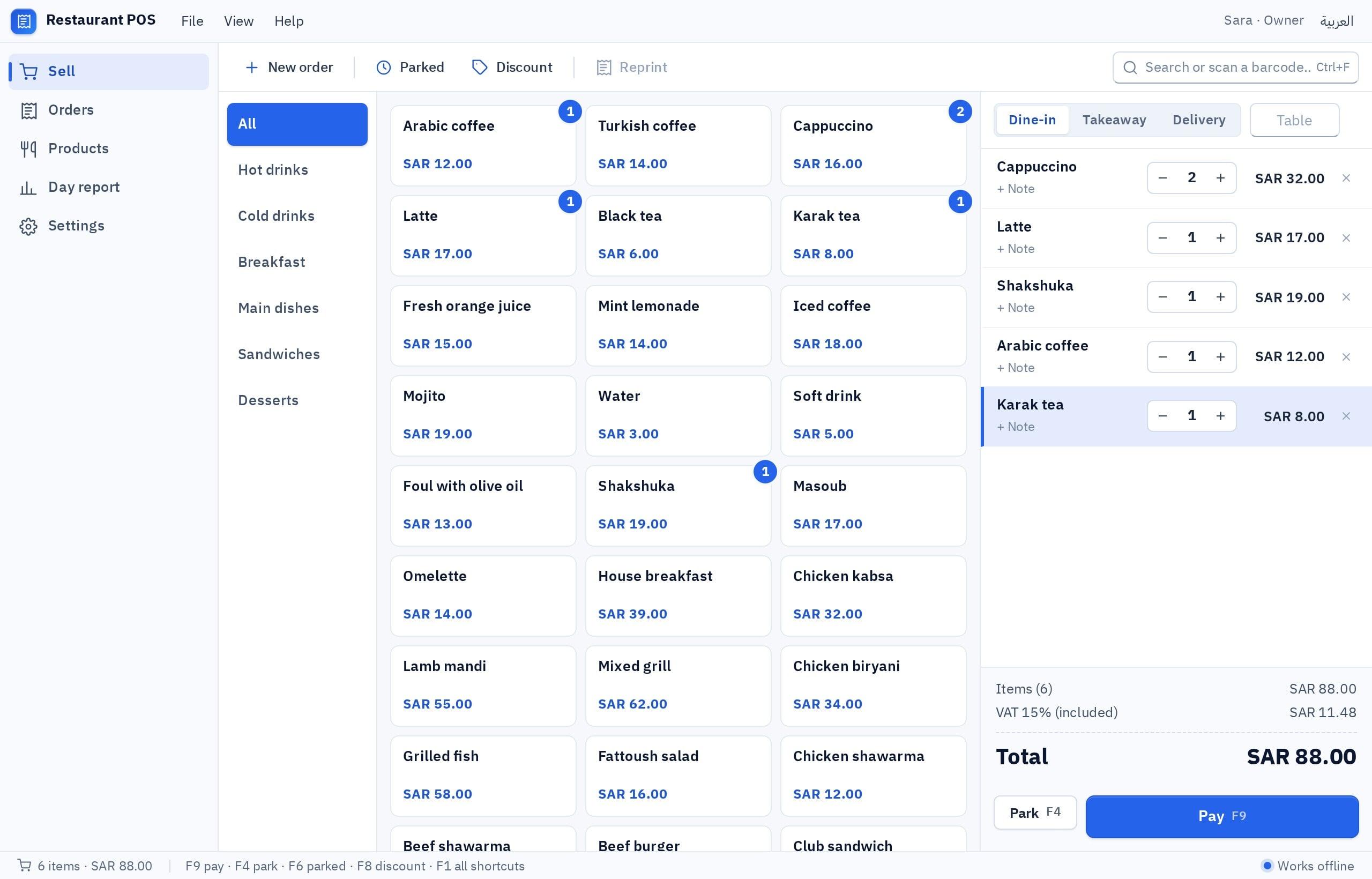
A cashier program in Kuwait is like any other at heart, but the local details decide whether it helps you or annoys you every day: the dinar with its three decimals, KNET payments, credit for neighbors, and nearby delivery.
- Currency
- Kuwaiti dinar with three decimals
- Tax
- No VAT at the time of writing
- Payment
- KNET, cards, cash, credit
- Language
- Arabic and English for staff and customers
- Selling
- Counter, phone, WhatsApp, nearby delivery
What appears on a cashier receipt in Kuwait?
| Detail | Practical note |
|---|---|
| Shop name and address | As on the commercial license, with a contact number |
| Receipt number, date and time | A sequence that never repeats or goes back |
| Items, quantity and price | In Arabic, English or both |
| Total in dinars | With three decimals, such as KWD 7.250 |
| Discount, if any | On its own line so it does not blur the price |
| Payment method | KNET, card, cash with amount paid and change, credit |
| Cashier name | Helps when you review any difference in the drawer |
If you sell to companies with A4 invoices and quotes, you may need separate invoice software next to the cashier, or an invoices screen inside the same program.
How does the program handle dinars, cash and KNET?
- Three decimals everywhere: price, total, discount and reports. A program designed for two-decimal currencies rounds fils wrongly, so test it with prices such as 0.125 and 1.375.
- A cash rounding rule: decide how cash change is rounded to the coins in circulation at your shop, and show the rounding on its own line.
- KNET and cards: through the card terminal on the counter. The salesperson enters the amount on the terminal, then picks KNET or card in the program.
- Credit: neighbors, the diwaniya next door or nearby companies with a monthly account. It needs a balance, a statement and payment reminders.
- Cash on delivery: the order leaves as unpaid and closes when the worker returns with the money.
What does each kind of shop in Kuwait need?
| Shop | How it sells | What the program must do well |
|---|---|---|
| Grocery or small supermarket | Many items, fast scanning | Barcode, sell by piece and carton, credit for the block's residents, minimum per item |
| Phone and accessories shop | Devices with serial numbers and warranty | Serial number on the receipt, warranty period, exchange and repair |
| Perfume, incense and abayas | Visitors, seasons and gifts | Selling by tola and bottle, gift sets, an exchange receipt without prices |
| Café or juice shop | Counter, phone orders and delivery | Quick buttons, add-ons, customer address by block and street |
| Spare parts or tools shop | Items by part number, sales to workshops | Search by part number, workshop prices, credit sales |
| Clothing or shoe shop | Sizes and colors | Stock per size and color, low-size alert, exchanges |
If your shop also sells online, the cashier and the store must share the same stock, or you will sell an item you do not have. Store steps are in an online store in Kuwait.
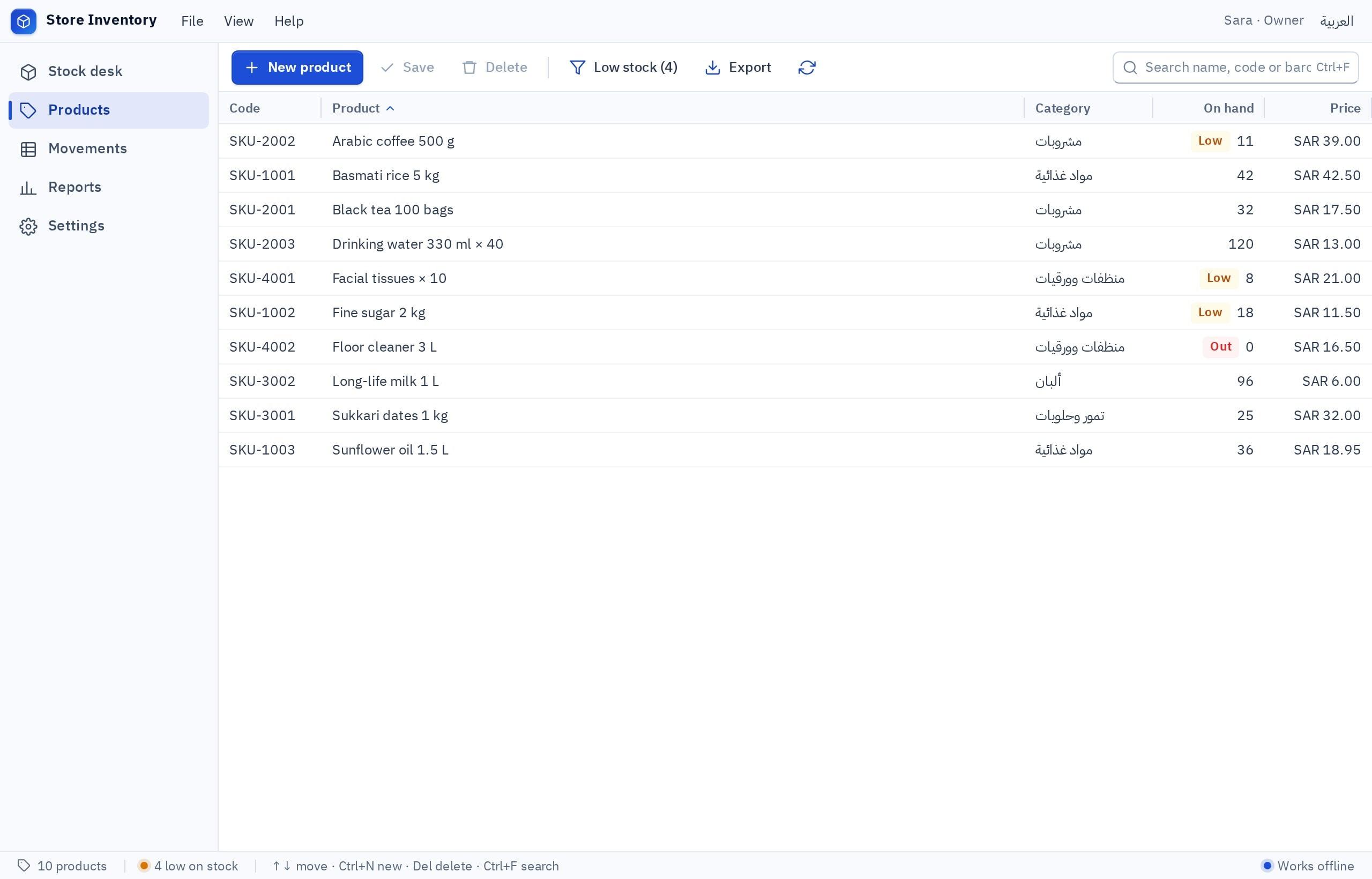
What should inventory software do alongside the cashier?
- 1Receive goods
Scan the barcode of every item from the supplier, so quantity goes up and the purchase price and date are recorded.
- 2Sales reduce stock
Every receipt reduces the quantity at once, and a return puts it back.
- 3Minimum level
Each item has a number below which the program warns you to reorder before the shelf is empty.
- 4Stock count
A regular barcode count compares the shelf with the program and records each difference and its reason.
- 5Reports
Best sellers, slow movers, margin per item and stock value in dinars.
More on building inventory software in an inventory program for your shop or warehouse. If you keep stock in an Excel file today, start from it; it uploads as it is.
Should I pick a free cashier program, a ready system or build my own?
Search for a free cashier program for your PC and you will find plenty, but free usually means a time-limited trial, an item-capped edition or a program with no support. Before choosing, make sure your data can be exported, the receipt shows dinars with three decimals, and it runs on your devices. Details are in free cashier program: what do you actually need?.
Pick the one that sounds like you to see the advice.
Build a restaurant cashier in Fanann with an order source for each delivery app, quick buttons and a daily report by source, so every order lands in one place while the apps keep their own tablets.
A program built in Fanann from a template does it: sales, a receipt in dinars, stock and drawer closing, working with no internet.
Selling by tola, serial numbers and warranty, or workshop prices: building gives you fields generic templates lack.
Build it in Fanann on shared cloud data: permissions per role, unified reports across branches, and no fee per device installed.
- A fixed feature set you adapt your shop to
- Changes only when the vendor decides to add them
- A recurring subscription that often grows with devices and branches
- Screens and a receipt made for your shop
- Works with no internet on local data
- The program and data are yours, with an Arabic and English support team
One shop, or branches that see the same sales and stock?
A shop with one counter suits local data: everything is on the shop PC and sales continue even when the internet drops. If you have a branch in Hawalli and another in Jahra, or a separate warehouse, and want to see sales and stock together, you need cloud data: each employee signs in and everyone sees the same records, as long as there is internet.
How do I build a cashier and inventory program for my shop in Fanann?
Open the POS software builder or the inventory software builder, start from a template or from your description in Arabic or English, and watch the program run inside a Windows-style window in your browser. After choosing where the data lives, you download an installer for 64-bit Windows 10 or 11.
I want a cashier and inventory program for a grocery in Farwaniya, in Arabic and English, with Arabic right to left. Sell by barcode or name search, and sell items by piece or carton. Prices in Kuwaiti dinars with three decimals, such as KWD 0.350. The receipt shows the shop name, receipt number, date, items, discount, total, payment method and cashier name, with a tax rate field switched off for now that can be turned on later. Payment: KNET or card (recorded by hand), cash with change, or credit for customers with a monthly account and a statement. Receive goods from suppliers by barcode with the purchase price. Alert when any item hits its minimum. Open and close shifts with a cash count. A daily report by payment method, plus best sellers and slow movers. 80 mm thermal printing and a backup to a file.
Try it in FanannWhen you need fuller books than a sales report, see accounting software, and for a larger team with shifts and leave, HR software.
What should I test before relying on it at rush hour?
More local guides are in the Kuwait market guide and on the Kuwait page, and the general guide to screens and hardware is a cashier program for a PC.
Key takeaways
- The dinar has three decimals, so the receipt, reports and cash rounding rule must calculate them exactly.
- Kuwait had no VAT at the time of writing, but keep the receipt ready for a tax line if the rules change.
- The KNET terminal is separate from a built program; a daily match with its settlement slip covers the gap.
- Good inventory drops with every sale, receives goods by barcode and warns you at a minimum level per item.
- One shop works with local data and no internet; branches need shared cloud data.
Frequently asked questions
What is the best POS system for a shop in Kuwait?
Is there a free cashier program for a PC?
Do I need tax on receipts in Kuwait?
Does the program connect to the KNET terminal?
Does it work for inventory management and a shop with two branches?
Does the cashier work without internet?
Ask your AI assistant about this
Copy this prompt into the AI assistant you use, then add the details of your own case.
I am reading this guide: “Cashier and inventory software for shops in Kuwait” https://fanann.com/en/blog/cashier-inventory-program-kuwait/ My question: pos system Kuwait Use that page as a source and explain the answer step by step for my situation, tell me what to check before I start, and cite the page link.